
As technology continues to advance, the ways we can use everyday gadgets for security purposes have expanded. One such innovation is transforming your cell phone into a surveillance camera.
This solution is both cost-effective and practical, especially for residents of San Antonio, TX, who are looking for convenient ways to enhance their home security.
In this article, we’ll explore how you can transform your smartphone into a surveillance camera, the benefits it offers, and some of the best apps available for this purpose.
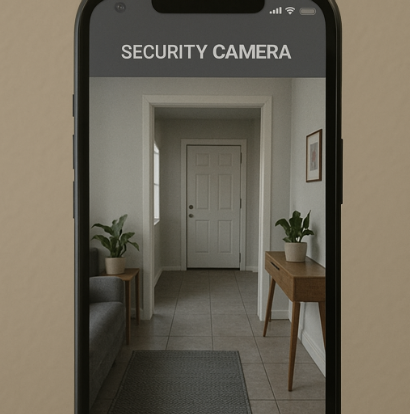
The concept of using a smartphone as a security camera is gaining popularity. This is largely due to the ubiquity of smartphones and their advanced camera capabilities.
With just a few simple steps, you can set up a smartphone to monitor your home, office, or any other area you wish to keep an eye on.
Why Use a Cell Phone as a Surveillance Camera?
- Cost-Effective: Instead of purchasing expensive surveillance systems, you can repurpose an old smartphone as a surveillance camera. This eliminates the need for new hardware investment.
- Portability: Smartphones are compact and can be easily moved around to different locations. This makes them ideal for temporary surveillance needs.
- Ease of Use: Setting up a phone as a surveillance camera is straightforward, thanks to a variety of apps designed to facilitate this process.
- Remote Access: With the right app, you can monitor your camera feed from anywhere in the world, provided you have internet access.
Setting Up a Mobile Surveillance Camera
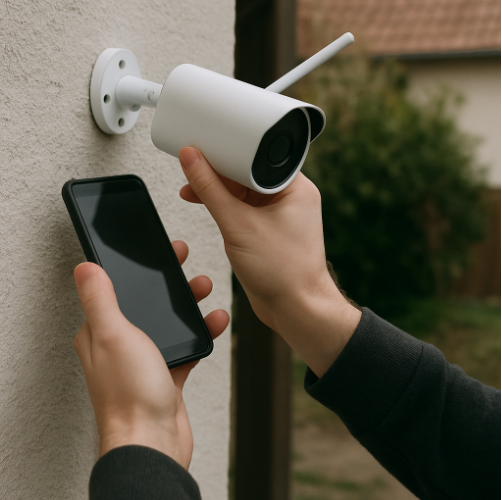
Turning your cell phone into a surveillance camera involves a few key steps. Here’s how you can get started:
Step 1: Choose the Right App
There are several apps available that can transform your cell phone into a surveillance camera.
Some popular options include:
- Alfred Camera: Offers live streaming, motion detection, and two-way audio.
- Manything: Provides cloud recording and remote access.
- IP Webcam: Converts your phone into an IP camera with access to its feed from any browser.
When selecting an app, consider features such as video quality, storage options, and any additional functionalities you might need.
Step 2: Set Up the Phone
Once you’ve chosen an app, download it onto the phone you wish to use as your camera.
Follow the app’s instructions to set it up. This usually involves creating an account, configuring settings, and testing the camera feed.
Step 3: Position the Phone
Place the smartphone in a strategic location where it can capture the desired area. Ensure it is stable and has a clear view. Consider using a tripod or a phone mount for better positioning.
Step 4: Connect to Power
For continuous surveillance, connect the phone to a power source. This will prevent the battery from dying and ensure uninterrupted monitoring.
True Protection Mobile Monitoring Devices
Mobile surveillance cameras offer several advantages:
Flexibility
You can easily relocate the phone to different areas as needed. This flexibility makes it ideal for renters or those who frequently change their living arrangements.
Discreet Surveillance
Smartphones are common and can be discreetly placed without drawing attention. This makes them suitable for covert monitoring situations.
Enhanced Features
Modern apps offer features like motion detection alerts, night vision, and cloud storage, enhancing the overall security setup.
Ensuring Your Cell Phone Security
by Radu Florea (https://unsplash.com/@radu_f)
While using a smartphone as a surveillance camera, it’s essential to maintain security to protect your data and privacy:
- Secure Your Network: Use strong passwords for your Wi-Fi and ensure your network is secure to prevent unauthorized access.
- App Permissions: Be mindful of the permissions you grant to surveillance apps. Only allow necessary permissions and regularly review them.
- Regular Updates: Keep the app and phone software updated to protect against vulnerabilities.
- Data Encryption: Consider using apps that offer data encryption for an added layer of security.
Exploring Phone Surveillance Apps
Several apps are specifically designed to transform your phone into a surveillance camera. Here are a few to consider:
Each app has its unique features and advantages, so choose one that best fits your security needs and preferences.
Using Old Cell Phones for Video Surveillance
If you have an old cell phone lying around, don’t let it gather dust. Repurpose it into a video surveillance camera. This not only gives the device a new lease on life but also enhances your security setup without additional costs.
Advantages of Using Old Phones
- Cost Savings: Maximize resources by using existing devices.
- Environmental Impact: Reduce electronic waste by repurposing old technology.
Considerations
- Battery Life: Older phones may have reduced battery life, so ensure they are connected to a power source.
- Performance: Older devices might not support the latest apps or features, so consider the phone’s capabilities when choosing an app.
Conclusion
Turning your cell phone into a surveillance camera is a smart, cost-effective way to boost security in San Antonio, TX. With the right app and setup, you can enjoy the benefits of a robust mobile security system.
Whether you’re using a current or old device, this approach offers flexibility, remote monitoring, and ease of use, making it an excellent choice for anyone looking to enhance their home or office security. Embrace the technology and ensure peace of mind with a smartphone surveillance solution.
Learn more about our business by clicking any of the links below:
ADC Doorbell Camera Troubleshooting | Fix Alarm.com Doorbell Camera Issues | ADC Doorbell Camera Help | Troubleshoot ADC Doorbell | Alarm.com Doorbell Fixes | Connecting Your Alarm.com Doorbell Camera | Set Up Alarm.com Doorbell Camera | Alarm.com Doorbell Connection Guide | Install Alarm.com Video Doorbell | Doorbell Camera Setup Instructions | Kwikset 914 Battery Replacement Manual | How to Replace Kwikset 914 Batteries | Kwikset 914 Battery Guide | Replacing Kwikset 914 Lock Batteries | Kwikset 914 Battery Swap Manual | 2GIG GC2 Panel Support | GC2 Panel Help Guide | 2GIG GC2 Troubleshooting | GC2 Panel User Support | GC2 Alarm Panel Help | Alarm Sensors Support | Home Alarm Sensor Help | Alarm Sensor Troubleshooting | Security Sensor Guide | Alarm Sensor Resources | ADC Doorbell Camera Flashing Orange | Fix ADC Doorbell Orange Light | Doorbell Camera Orange Flash Help | Alarm.com Doorbell Orange Light | Troubleshoot ADC Orange Flashing
