
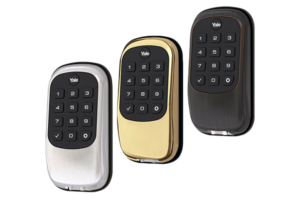
The security of your home starts at the front door. With more people embracing smart home technology, homeowners across Texas are asking one key question: What’s the difference between a smart lock and an electronic lock, and which one should I choose?
It’s easy to get confused. Both let you unlock your door without using a traditional key. But from functionality to smart home integration, the distinctions are worth understanding.
Let’s break it down in plain English, no tech jargon unless totally necessary. This guide will help you compare smart locks and electronic locks so you can find the right type of lock for your home.
What Is a Smart Lock?
A smart lock is an advanced door lock that connects to your smartphone or smart home hub, often via Wi-Fi or Bluetooth. It lets you lock and unlock doors remotely, even when you’re not home, and can send alerts, share access codes, and integrate with other smart devices.
Smart locks are part of broader smart home systems, which allow automation and remote control of things like lights, thermostats, and, yes, your locks.
Smart locks work with various technologies:
- Wi-Fi: Offers remote control from anywhere, ideal for busy families or travelers.
- Bluetooth: Great for local control without an internet connection.
Many smart locks also support biometrics like fingerprints or multi-factor authentication involving passcodes and mobile apps.
What Is an Electronic Lock?
An electronic lock is a keyless lock that uses a keypad, keycard, or biometric scanner instead of, or in addition to, a physical key. These locks still require interaction at the door and don’t usually provide smartphone access or automation features.
Unlike smart locks, electronic locks provide basic electronic access control without connecting to your home automation system or smart hub.
Think of electronic locks as a middle ground between traditional mechanical locks and full-fledged smart locks.
Comparing Smart Locks vs Electronic Locks
Understanding the major differences between these lock systems can help you pick the one that best suits your needs. Here’s a side-by-side comparison:
| Feature | Smart Lock | Electronic Lock |
|---|---|---|
| Remote Access | Yes, via smartphone or tablet | No, generally requires manual input |
| Internet Connectivity | Wi-Fi/Bluetooth enabled | No connectivity |
| Smart Home Compatibility | Full integration with smart home devices | Limited or no integration |
| Access Control | App, fingerprints, access code, smartphone | Keypad, keycard, fingerprint |
| Automation | Yes – can lock automatically | No automation features |
| Power Source | Electric battery (must monitor battery) | Electric battery |
| Security Alerts | Yes – with lock activity notifications | Generally not available |
| Cost | More expensive than electronic locks | Less expensive than smart locks |
| Ease of Installation | Moderate, depending on the model | Generally easy |
Key Benefits of Smart Locks
Smart locks offer a wide range of convenience and security upgrades, especially when integrated with smart home automation systems available across Texas.
Here’s where smart door locks really shine:
- Remote control: Unlock your door from anywhere using your phone.
- Automated locking: Set it to automatically lock the door after it closes.
- Integration with your home security system, security camera, or smart lighting.
- Temporary access: Share access codes with guests, dog walkers, or service providers.
- Notifications: Get alerts every time someone locks or unlocks the door.
Smart locks are generally built with user-friendly mobile apps, letting you manage who can enter and when. Some models even integrate with voice assistants like Alexa or Google Assistant.
Benefits of Electronic Locks
While they don’t offer the same connectivity as smart locks, electronic locks provide a step up from traditional locks. Here’s what they’re good at:
- Keyless access: Get in quickly using a keypad or keycard, no more fumbling for your keychain.
- Simple usage: Easy for kids or guests to use without needing a smartphone.
- Lower cost: Often less expensive than smart locks.
- Increased security: No physical key to lose or duplicate, which deters lock and key tampering.
Many electronic locks can still give you peace of mind, especially if you’re looking to upgrade from traditional door locks without diving deep into smart home tech.
Smart Lock May Offer More Than Just Keyless Entry
A good wi-fi smart lock does more than lock and unlock the door. From tracking lock activity to integrating with your smart home hub, it centralizes control.
Some models even patch new firmware updates remotely, providing added security protection without you lifting a finger.
When connected to a broader smart home security setup, smart locks can be integrated with other smart home devices like:
- Thermostats
- Lights
- Security cameras
- Motion sensors
This interconnectivity strengthens your ability to enhance security and convenience in one motion.
Important Factors When Choosing Between Smart Locks and Electronic Locks
Before you run out and get a smart lock or electronic lock, consider the following:
1. Your Budget
- Locks are generally more expensive as they gain more smart features.
- Smart locks with Wi-Fi and biometric options tend to have a higher price.
- If you’re budget-conscious, a simple keypad lock might make more sense.
2. Internet Requirements
- No Wi-Fi? An electronic lock might be your only option.
- Wi-Fi-enabled smart locks require consistent network coverage, especially important in areas with spotty internet.
3. Access Needs
- Need to let family or service providers in when you’re not home? A smart lock that uses mobile app control is ideal.
- If you’re home most of the time, a keyless lock with a keypad may be plenty.
4. Backup During Power Outage
- Smart locks are battery-powered, but what happens during a power outage or battery failure?
- Always check if your lock could use a backup physical key or an alternate power option.
Cons of Smart Locks You Should Know
Like any technology, smart locks aren’t perfect. Here are a few possible drawbacks:
- More expensive than traditional locks
- Firmware and software updates may be necessary
- Possible vulnerabilities to security hackers
- Reliance on computer hardware like smartphones or Wi-Fi
- Battery life can be an issue; your lock may stop working if not maintained
- Complexity: Some models can feel overwhelming if you’re not tech-savvy
Still, smart locks can provide peace of mind for those wanting tighter control over home access.
Are Smart Locks Safe?
Yes, with a caveat. Just like any connected device, a smart lock can be vulnerable if not set up properly. You’ll want to:
- Use strong passwords and change them regularly
- Enable multi-factor authentication
- Keep the firmware updated
- Only connect to secure home Wi-Fi networks
Choose a trusted brand like Yale Smart or Schlage with a strong reputation for safety.
Smart Home Compatibility: Why It Matters
If you’re planning a connected home, smart home compatibility is a critical box to check. Not all Wi-Fi locks play nicely with every smart home system.
If you’re building out smart capabilities, make sure the lock functions well with your smart home hub and devices. This could include:
- Amazon Alexa or Google Assistant
- Apple HomeKit
- Your existing home automation platform
For help getting started, check out our guide to smart home automation systems.
Let’s Talk About Installation
Most new locks are designed to fit into an existing lock setup. But smart locks typically require more setup than electronic models.
- Electronic locks: Install quickly, often within 30 minutes.
- Smart locks: Some models are easy, but locks may require additional syncing steps with your smartphone or home automation system.
Always follow the manufacturer’s instructions, and consider consulting a security professional if you’re unsure.
Smart Lock vs Electronic Lock: Which Should You Choose?
If you’re still torn, here’s a short guide:
- Choose a Smart Lock if:
- You want to unlock your door from anywhere
- You use smart home tech
- You need temporary codes for guests
- You want full control via app, automation, and voice commands
- Choose an Electronic Lock if:
- You want a simple, reliable keyless solution
- You don’t need smartphone access
- You want to upgrade without dealing with Wi-Fi or apps
- You’re sticking to a tighter budget
Final Thoughts: Unlock the Right Door Security for Your Home
Choosing between smart locks and electronic locks might feel complicated, but it really comes down to what you want out of your door lock.
If you’re looking to automate, control, and monitor entry to your home, even when you’re on the go, a smart wifi deadbolt or Wi-Fi smart lock is your best bet. For those who simply want a keyless option that’s sturdier than a traditional lock, an electronic door lock could be perfect.
The lock you choose should fit your lifestyle, tech comfort level, and security needs. More than anything, both locks provide a clear upgrade compared to traditional mechanical locks.
Need help deciding? Our team at True Home Protection is happy to recommend locks to help enhance security for your home. And if you’re building a connected system from the ground up, we’ll help ensure integration with smart home systems goes smoothly.
Ready to take the next step? Explore our smart home automation systems and find out how smart devices can radically transform your home’s safety and convenience.
Because peace of mind should be as easy as pressing a button, or better yet, letting your home do it for you.
