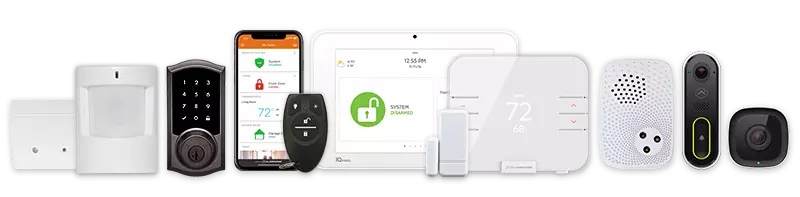
If you manage or own an apartment building, you already know that security is not a one-size-fits-all situation. You are dealing with shared spaces, multiple entry points, tenant privacy concerns, and the constant pressure to keep everyone safe without turning the property into a surveillance state. Choosing the right camera system is trickier than most people expect, and the wrong setup can leave you with dead zones, poor video quality, or equipment that simply does not hold up.
This guide breaks down what actually matters when selecting security cameras for apartment buildings, so you can make a decision that works for your property long-term.
Why Apartment Buildings Have Unique Security Needs
A single-family home and a multi-unit building are not even close to the same challenge.
Apartments have hallways, parking areas, mailrooms, laundry rooms, stairwells, and shared lobbies – all of which need coverage. At the same time, you have to respect tenant privacy inside their individual units.
Most residential camera setups are built for a single home. Systems like Google Nest, or Amazon-brand devices on Echo or Alexa-enabled platforms are designed for personal use. They are great for renters watching their own front door, but they are not scaled for a full property management situation.
That is where commercial-grade closed-circuit television systems and purpose-built closed-circuit television camera setups come in. These systems are built to handle continuous recording, multiple camera feeds, and longer data retention – things that actually matter in a multi-unit environment.
Key Factors to Consider Before Buying
Coverage Area and Camera Placement
Start by walking your property and identifying every point where someone could enter, exit, linger, or cause problems. Common areas that need coverage include building entrances and exits, parking lots or garages, mailrooms, elevator interiors, stairwells, and hallways near unit doors.
You will want cameras with a wide-angle lens for open areas like lobbies and parking lots, where a narrow field of view would miss too much. For hallways, a narrower angle with strong resolution works better. The goal is complete coverage without overlapping so much that you are wasting camera capacity.
Video Resolution and Night Vision
This is not the place to cut corners. Blurry footage is nearly useless when you actually need it.
At minimum, aim for 1080p resolution. If your budget allows, cameras with 4K resolution deliver footage that holds up under scrutiny – you can zoom in on license plates or faces without the image falling apart.
Night vision is non-negotiable for any outdoor camera and most indoor cameras too. Look for infrared or color night vision capabilities, especially for parking areas where lighting is often poor. Poor nighttime footage is one of the most common complaints property owners have after an incident.
Wired vs. Wireless Security Cameras
Both options have merit depending on your property layout. Wired systems tend to be more reliable for large properties because they do not depend on Wi-Fi signal strength. They require professional installation but deliver consistent performance and are harder to tamper with.
Wireless security camera systems offer more flexibility, especially for older buildings where running new cabling is expensive or disruptive. Wireless security setups can be expanded more easily over time. However, you need a strong and stable network infrastructure to support them, and you should think carefully about signal coverage in thick concrete or brick buildings.
A hybrid approach often works well for larger apartment complexes – wired cameras for high-traffic fixed points, wireless for areas where cabling is impractical.
Cloud Storage vs. Local Recording
Where your footage gets stored matters more than most people realize. Cloud storage means your video is backed up off-site, which protects it even if a camera or recorder is stolen or damaged. Cloud computing platforms also make it easy to access footage remotely from a mobile device or through a mobile app.
Local storage is generally cheaper over time and does not rely on internet connectivity.
However, it requires physical hardware that must be maintained and protected. For apartment buildings, a combination of both is often the smartest approach – local storage for day-to-day access and cloud backup for long-term retention and incident documentation.
Motion Detection and Smart Features
Modern cameras do a lot more than record continuously. Motion detector functionality allows cameras to trigger recordings or alerts only when activity is detected, which saves storage and makes reviewing footage much faster.
Some systems now incorporate artificial intelligence for video surveillance, which can distinguish between a person walking through a space and a stray cat triggering the sensor.
Artificial intelligence-powered cameras can send more accurate alerts, reducing the constant noise of false notifications. This kind of smart filtering is particularly useful on larger properties where a dashboard showing 30 camera feeds can quickly become overwhelming.
Look for systems that integrate with your existing management tools. If your building uses smart lock access control or home automation features, your camera system should ideally tie into the same platform.
Dome Cameras for Apartment Environments
Dome cameras are one of the most practical choices for indoor use in apartment buildings.
Their design makes it difficult to tell exactly which direction the lens is pointed, which acts as a deterrent. They are also more tamper-resistant than standard box-style cameras because the housing is harder to redirect or damage.
For lobbies, elevator interiors, and hallways, a dome camera mounted on the ceiling gives wide coverage while blending into the environment without being intrusive or alarming to residents.
Tenant Rights and Landlord Responsibilities
As a landlord, you have the legal right to install security cameras in common areas of your property. You do not have the right to place cameras inside tenant units or in areas where residents have a reasonable expectation of privacy, such as bathrooms or changing areas.
It is good practice to notify tenants in writing when cameras are installed or updated, and to include language in the lease that outlines where surveillance equipment is located and how footage is used. Being transparent builds trust with your tenants and protects you legally if footage is ever used in a dispute or legal proceeding.
What to Look for in a Security Partner
Choosing cameras is only half of the equation. Who installs them, monitors them, and supports them matters just as much.
Look for a provider that offers commercial-grade equipment, not the same off-the-shelf devices you would find on a retail shelf. Make sure they provide professional installation, because a poorly mounted or misconfigured camera is nearly as useless as no camera at all. Ask about ongoing monitoring options, since having a team that can respond to alerts adds a critical layer of protection beyond just recording what happens.
Certifications matter too. UL-certified alarm monitoring means the monitoring center meets independently verified safety and reliability standards. An A+ BBB rating signals that the company has a track record of resolving customer issues honestly.
Ask about warranty coverage, contract flexibility, and whether the provider can work with equipment you may already have installed. No-contract options give you more flexibility as your property needs change over time.
Frequently Asked Questions
Can tenants install their own cameras in apartments?
Tenants can generally install cameras inside their own unit or on their own front door, but most leases restrict modifications to the unit exterior. Devices like a video doorbell may need landlord approval depending on the lease terms. Tenants should always check their lease before installing anything that attaches to walls or door frames.
How long should apartment building camera footage be stored?
Most property managers keep footage for 30 to 90 days. If an incident occurs, footage should be preserved immediately. Cloud storage solutions make long-term retention more manageable and less dependent on on-site hardware.
Are wireless cameras reliable enough for apartment buildings?
Wireless cameras have improved significantly and can work well in apartment buildings with a strong network infrastructure. For large properties or buildings with thick walls, a wired or hybrid system is often more dependable.
What is the difference between a CCTV system and a standard home security camera?
A closed-circuit television system is a closed network where video feeds are transmitted to a specific set of monitors or recorders. Standard home security cameras, like those used with Google Nest or SimpliSafe, often rely on cloud services and consumer-grade components.
CCTV systems are typically more robust, offer higher video quality, and are better suited for commercial and multi-unit applications.
Do apartment building cameras need to be monitored 24/7?
Not all properties require 24/7 live monitoring, but having that option available significantly improves your response capability. Some providers offer professional monitoring that can alert law enforcement when activity is detected, which is especially valuable during overnight hours when staff is not on-site.
Choosing Security Cameras for Apartment Buildings
Choosing the right security cameras for your apartment building comes down to understanding your property, your tenants, and the level of protection you genuinely need. The right system should cover every critical area clearly, store footage reliably, and integrate with smart tools that make management easier. If you are ready to take that next step, learn more about commercial-grade CCTV video surveillance systems for business and enterprise, or call True Home Protection at +1-800-393-6461 to get a setup that is built for your specific property.